Balance and plans
The prepaid wallet, what happens when it runs out, and how plans work.
Billing in Treema HQ is a prepaid wallet: your organization holds a cash balance and is charged daily for what it uses, rather than being billed a fixed amount up front. This page is the Payment method tab of Organization settings, open to the owner and to admins.
What happens when the balance runs out
Read this first if something stopped working
A workspace going read-only almost always traces back to this page.
Once the balance reaches zero, nothing is cut off immediately:
- Grace — 3 days. A banner appears across the top of the app, visible only to the owner and admins: "Your balance is empty. The workspace goes read-only in N days." (Before the grace clock has started, you may instead see "Low balance: amount. Top up to keep running.") Plain workspace members never see this banner.
- Read-only, once the grace period ends with the balance still at or below zero — and this is
where the owner/admin and plain-member experience diverge:
- Owner and admins: every workspace in the organization, and the General tab of organization settings, is replaced with a full-page block — "Workspace is read-only" / "Your balance ran out and the grace period ended. Top up to restore full access instantly." — with a Top up balance button. The banner also switches to "Your workspace is read-only — top up to restore access."
- Plain members don't see a banner or a full-page block — the screen looks unchanged even once the organization is locked, but the lock still applies: actions that change something — creating a task, sending a message, editing a property, and so on — may not go through. Creating a property or creating a workspace shows a clear message: "This action is unavailable. Contact your organization admin." Other actions may fail without an on-screen explanation — if something you try to do silently doesn't work and you're not the owner or an admin, ask your organization's owner or admin whether the balance has run out.
The Payment method tab documented on this page stays reachable throughout the lock, so an owner or admin can top up and restore access without needing anyone's help.
The wallet
- 1
- 2
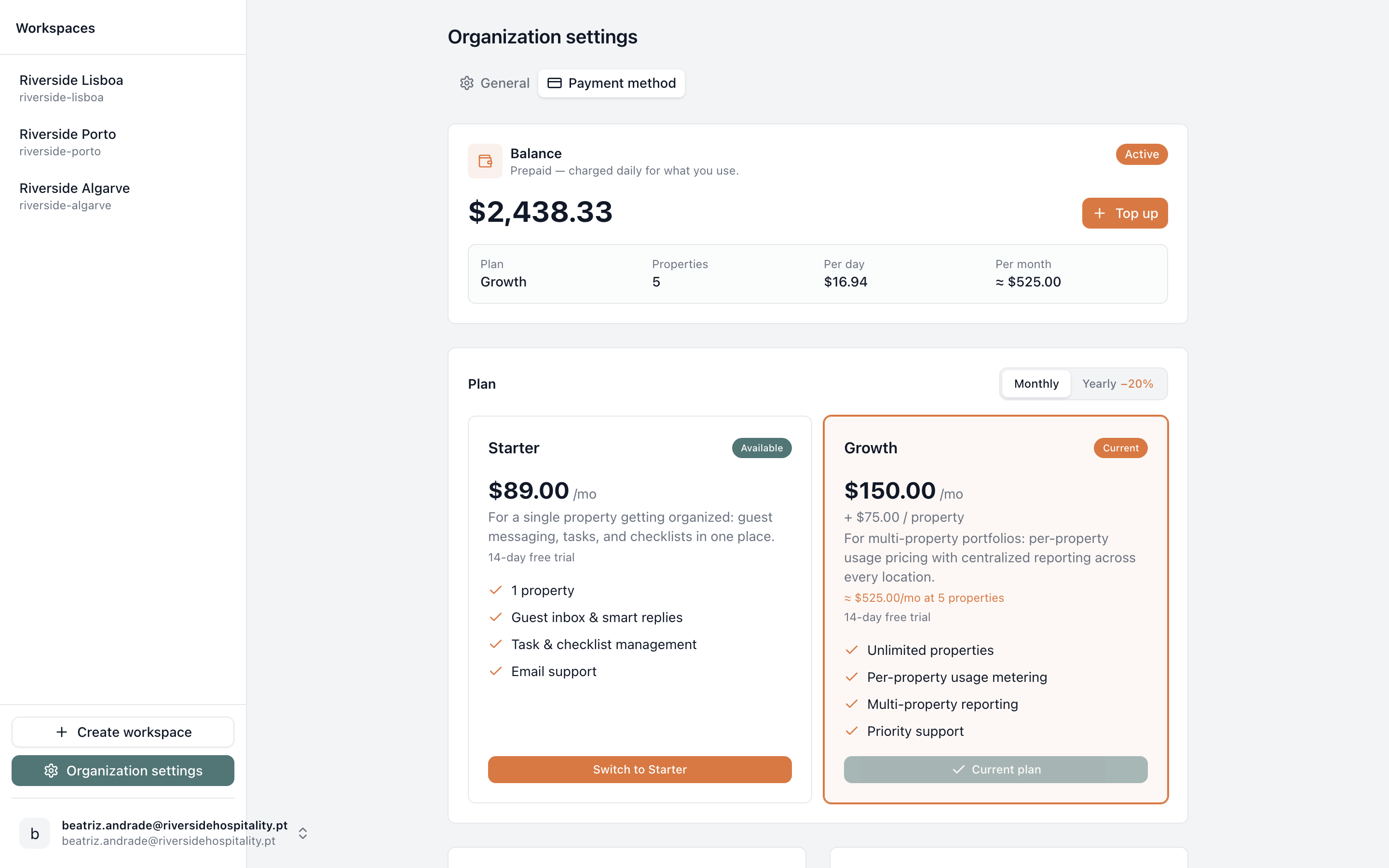
- Balance — cash balance, status, top up, and current usage rate
- Plan — the rate-card plans available to switch between
The Balance card shows:
- A status badge: "Trial · N days left", "Active", "Grace · N days", or "Read-only".
- The current cash balance, and — if you have any — a promo-credit line underneath it ("amount promo credit"); credit is spent before cash.
- A usage summary: Plan, Properties (how many the balance is currently rated for), Per day, and Per month (today's estimate — properties can be added later, which changes it).
Plans
The Plan section lists the organization's available plans as cards, with a Monthly/Yearly toggle (yearly plans show a discount, e.g. "−20%"). Each card shows the price and included features. The plan you're on shows a "Current" badge and a disabled "Current plan" button; the others show an "Available" badge and a "Switch to plan" button.
Switching plan, or switching interval, re-rates the wallet starting from the next daily charge — there is no proration and nothing is charged immediately. One exception: once you're on a yearly plan, switching back to monthly is locked until the annual commitment ends; the toggle shows the date it unlocks.
Payment methods and top-ups
Adding a card, topping up, and auto top-up are all handled through Treema HQ's payment provider.
- Top up opens a modal with quick-amount presets plus a custom amount field. If you have a saved card, it's charged off-session by default (with a link to use a different card instead); otherwise you enter a new card there and then.
- Payment methods lists saved cards. The one used for off-session charges carries a "Preferred" badge; others show a "Make preferred" button, plus an icon button to remove the card.
- Auto top-up charges your saved card automatically once the balance drops below a threshold you set — both the threshold and the top-up amount are editable once it's turned on. It requires at least one saved card.
Promo codes and history
Promo code redeems a single-use code for wallet credit, spent before your cash balance. Billing history lists the wallet's transactions newest first — top-ups, promo credits, auto top-ups, daily usage charges, and any refunds or adjustments — with a receipt link where one exists.
If your balance, plan, or a charge doesn't look right, contact support@treema.ai.